Marine mechanic softwareEvery motor, by the hour
Set MechOS to engine hours and every outboard and inboard is read in hours: on the job, on the invoice and in the reminder that brings it back for its next service. The hull number sits on the boat's card, the quote reaches the owner as a link, and call-outs to the marina are booked online.
Engine hours, start to finish
Hours on every reading
The reading taken on the job goes on the invoice in hours, the motor’s last reading sits beside the box, and its service history lists the hours at each visit.
Reminders at the next service
A service reminder starts at the job’s hours plus your interval, and you can change it on any job. It goes on its date, and your wording can include the hours it’s due at, such as “or at 450 hours”.
The boat’s card
Make and model of the motor, the hull number in the VIN box and the registration in the rego box, with every job the boat has had.
At the marina
Jobs on the phone
Techs open their own jobs from My Jobs, with the address, start the timer, take photos and fill in checklists, all in the phone’s browser.
Call-outs booked online
Your booking page can ask whether the owner is bringing the boat in or needs you to come to them, and takes the address when they do. You approve every request before it reaches the diary.
Paid on the spot
Send the invoice as a link the owner taps to pay by card, once your VenueSmart account is approved.
Quote it and get the yes
Photos with the quote
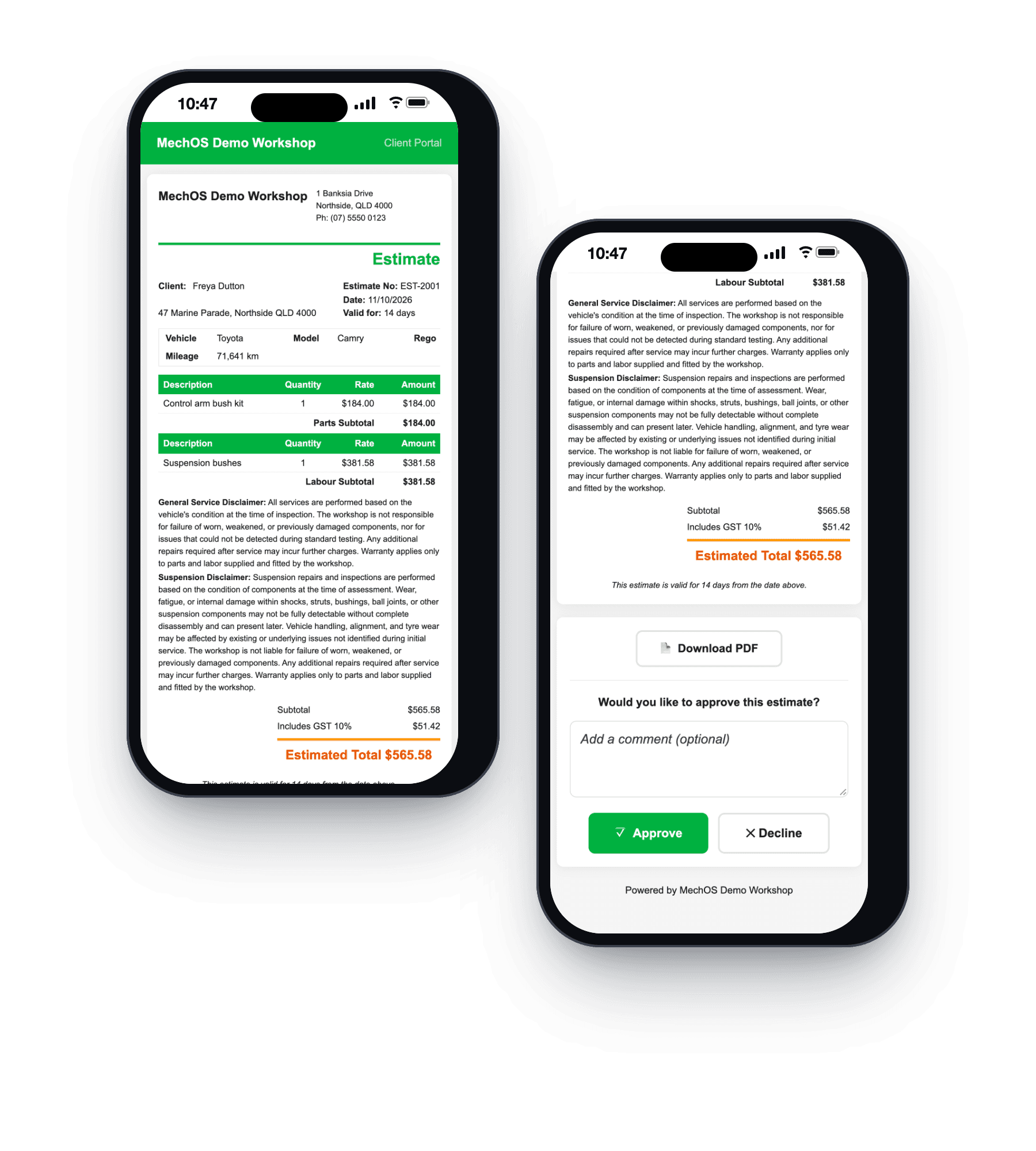
The owner opens the quote on their phone, sees your photos of the corroded leg or the worn impeller, and approves or declines it. The answer comes back with the time.
Checks you write yourself
Make your own pre-season or pre-sale check, with OK, Soon or Now on each line, measurements and photos, and send the owner their copy as a link or a PDF.
Parts on order
Every job waiting on parts
The Parts Centre lists each job waiting on a part, with the supplier and the ETA to chase, until every part has arrived.
Deposits on the job
Record a part payment and note it as a deposit. The job can be part paid and still wait on parts.
What you get
- Each motor measured in engine hours
- Service reminders in hours, on your own interval
- Hull number and registration on the boat’s card
- Jobs on the phone for techs out on call
- Online booking with call-outs to the owner
- Quotes approved from a link, with photos
- Your own checklists, with measurements and photos
- Parts Centre and deposits
- Pay-by-link invoices
Questions marine mechanics ask
Can we record the hull number?
Yes. It goes in the VIN box on the boat’s card, and the boat’s registration goes in the rego box.
Can we service by engine hours?
Yes. In Settings, set New vehicles are measured in to engine hours, and choose your usual hours between services, such as 100. Any boat can also be switched on its own card.
What about twin outboards?
MechOS keeps one hours reading for each card, so give each motor its own card if you service them on their own hours.
Can we work at the marina or the ramp?
Yes. Techs see their own jobs on their phone, with the address. If you work mobile, customers booking online can ask you to come to them and give the address.
How-to guides
- Set up service and follow-up remindersSwitch reminders on, then set one on the invoice — the next service, or a follow-up like brakes or tyres. MechOS emails or texts the customer for you.
- The technician screen (My Jobs)What a tech sees on the workshop floor: their jobs, the timer, photos, inspections and leave.
- Take booking requests from your websiteA public page where customers ask for a job, and a queue beside your calendar where you say yes or no.
- Send an estimate and convert it to an invoiceQuote the job, get the customer's approval, turn it into the final invoice.
- Build and send a tax invoiceConvert a booking to an invoice, add parts and labour, and email it to the customer.
- Service checklists and inspectionsBuild checklist templates, fill them in on a job with photos, and share the report with the customer.
- Manage jobs waiting on parts (Parts Centre)Shelve a job that's waiting on parts, track every order, and see when it's ready to book back in.
- Record a paymentCash, bank transfer, or in-shop EFTPOS — log it against the invoice.
See it on your own jobs
Everything on this page is included at the founding price — $99 a month, locked for as long as you stay. Fourteen days free, no card, and you can bring your existing customers and history across.