4WD workshop softwareFit-outs and services, without the paper chase
A quote for the whole fit-out, approved from a link with your photos. A deposit recorded before you order the gear, every job waiting on parts in one list, a loan car with a signed agreement, and a pre-trip check you write yourself.
Quote the whole job
Approved from a link
The customer opens the estimate on their phone, with no app and no login, sees your photos under the totals, and approves or declines it. Their answer comes back with the time and any comment they add.
A quote with a date on it
Quotes are valid for 14 days unless you change it. After that the page says it has expired, but the Approve button still works, so you get the job and a prompt to check your prices.
One click to the invoice
Every line of an approved estimate copies into a GST tax invoice, and the photos come across tagged Before, ready for your After shots.
Gear that takes weeks
Deposits on the job
Record a part payment and note it as a deposit. The job can be part paid and still wait on parts.
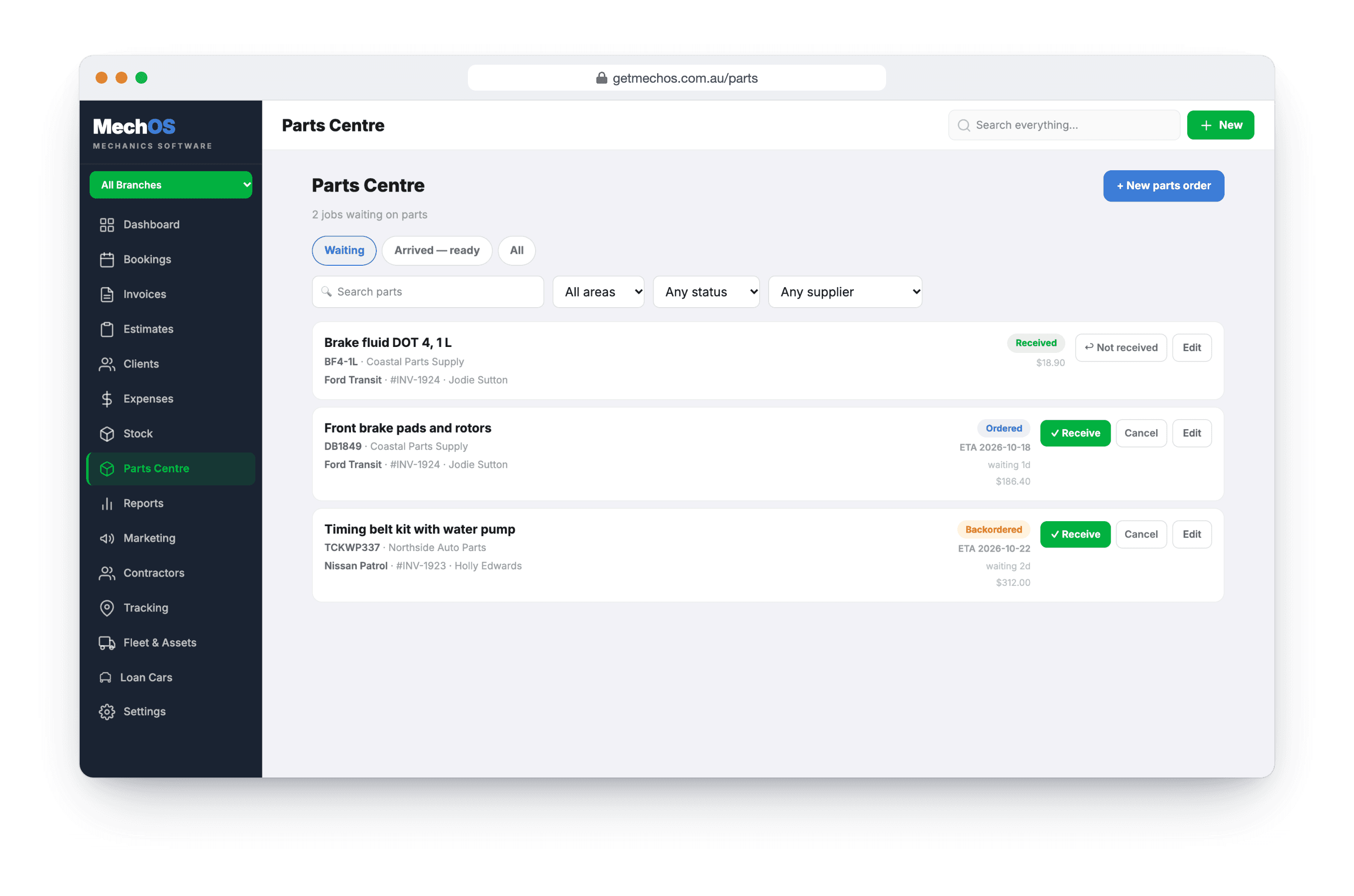
Every job waiting on parts
The Parts Centre lists each job waiting on a part, with the supplier and ETA to chase, until every part has arrived.
Orders that arrive in parts
Raise a purchase order, receive what turned up, and the rest stays on order. Stock only moves on what actually arrived.
While their 4WD is with you
Loan cars, signed for
Assign a loan car from the booking, then check it out with the odometer, fuel, driver’s licence, condition photos and a signed agreement, and check it back in when they return it.
Before the next trip
A pre-trip check you write yourself
Copy one of the checklists MechOS comes with and make it your pre-trip check, with OK, Soon or Now on each line, measurements and photos. The customer gets their copy as a link or a PDF.
Reminders by date or km
A service reminder can say “or another 10,000 km, whichever comes first”, and a follow-up reminder brings them back for the work they put off.
What you get
- Estimates approved from a link, with your photos
- GST tax invoices from the same lines
- Deposits recorded as part payments
- Parts Centre and purchase orders
- Loan cars with signed agreements
- Your own checklists, with measurements and photos
- Service and follow-up reminders
- EFTPOS at the counter and pay-by-link
- Unlimited staff, each with a role
Questions 4WD workshops ask
Can the customer see exactly what they’re approving?
Yes. The estimate link shows every line and the total, with your photos under it, and the customer approves or declines the quote from their phone. You see their answer and when it came in.
Can we take a deposit before we order the gear?
Yes. Record a part payment against the job and note it as a deposit. A job can be part paid and still be waiting on parts.
What about jobs waiting weeks for parts?
Ordering the part is what parks the job, with a supplier and an ETA to chase. It stays on the Parts Centre list, showing what’s in and what isn’t, until every part has arrived.
Can we lend the customer a car while theirs is in?
Yes. Assign a loan car from the booking (only cars free on that date are offered), then check it out with the odometer, fuel, driver’s licence, condition photos and a signed agreement.
How-to guides
- Send an estimate and convert it to an invoiceQuote the job, get the customer's approval, turn it into the final invoice.
- Build and send a tax invoiceConvert a booking to an invoice, add parts and labour, and email it to the customer.
- Record a paymentCash, bank transfer, or in-shop EFTPOS — log it against the invoice.
- Manage jobs waiting on parts (Parts Centre)Shelve a job that's waiting on parts, track every order, and see when it's ready to book back in.
- Raise a purchase order and receive stockOrder stock from a supplier, then receive the delivery — including short and part deliveries.
- Loan and courtesy carsReserve a courtesy car, check it out properly, get the agreement signed, and track what each car costs.
- Service checklists and inspectionsBuild checklist templates, fill them in on a job with photos, and share the report with the customer.
- Set up service and follow-up remindersSwitch reminders on, then set one on the invoice — the next service, or a follow-up like brakes or tyres. MechOS emails or texts the customer for you.
See it on your own jobs
Everything on this page is included at the founding price — $99 a month, locked for as long as you stay. Fourteen days free, no card, and you can bring your existing customers and history across.