Mobile mechanic softwareThe van is part of the workshop, not a separate business
Jobs go out to whoever is in the field, the office watches them move on a map, and the customer gets told when the tech is on the way — from the same system that runs the bays.
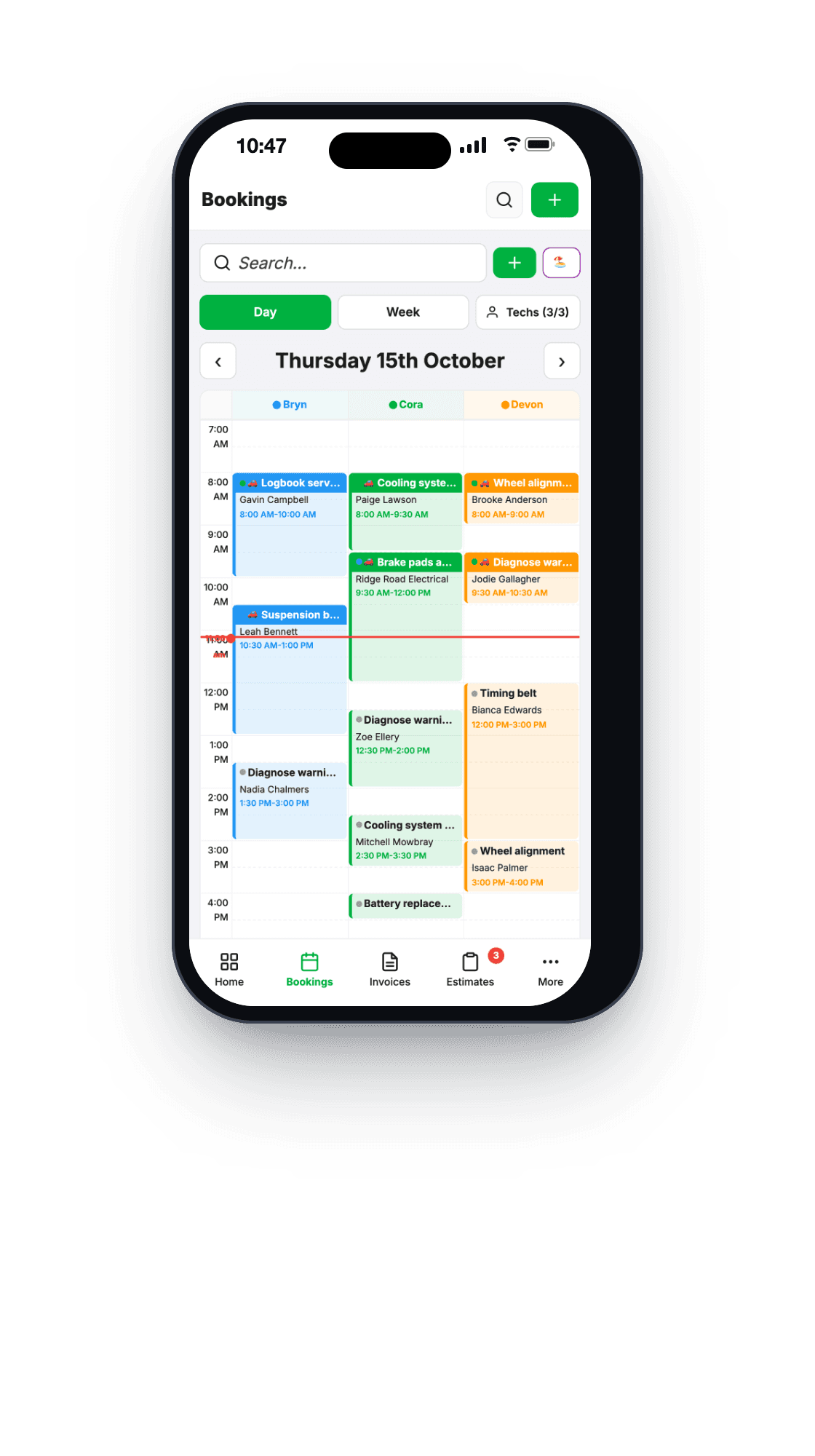
Most shops end up running two systems
The workshop has software. The mobile side has a phone, a group chat and a notebook. Jobs get read out over the phone, the office has no idea where anyone is until they ring, and the paperwork arrives at the end of the week in a pile — if it arrives.
MechOS treats a mobile job as an ordinary job that happens somewhere else. Same booking, same invoice, same customer record. The only difference is where the work is, and who can see where the van is.
How it works on the road
A job location, separate from the customer's address
Every booking carries where the work actually happens — a home, a depot, a job site, or just “workshop”. It pre-fills from the customer’s file and then it is yours to change, because the car is not always at the house the invoice goes to.
The tech's own job list
Technicians and contractors get their own screen: today’s jobs, the vehicle, the history, what was asked for. They start and finish the job on it, record the odometer, add photos and write their notes where the office can see them straight away.
Live tracking on a map
Mobile techs appear on the office map while they are clocked on, so “where is he” is a glance instead of a phone call. Location history is kept for thirty days and no longer — it is there to run the day, not to build a file on anybody.
An ETA the customer actually gets
One tap sends “we’re on our way” with the message shown to you before it goes. Nothing about a mobile job is sent to a customer automatically — you choose the moment.
Loan cars, when the job comes to you instead
Assign a courtesy car, generate the agreement, have it signed on the customer’s phone, and keep the registration and inspection dates on the same vehicle record.
What you get
- Job location on every booking, separate from the client's address
- Jobs dispatched to a tech's own screen
- Live GPS for clocked-on mobile techs
- Thirty-day location retention, then gone
- Odometer, photos and notes captured in the field
- “On our way” text, sent when you choose
- Loan cars with signed agreements
- One customer record across workshop and mobile
Built for the way it really runs
The mobile side of the business that built this software is the reason the tracking, job locations and field job list exist at all. They were not designed for a demo — they came out of not knowing where a van was at four o’clock on a Friday.
Questions workshops ask
Do my mobile techs need a separate app?
No. MechOS runs in the phone’s browser and can be added to the home screen like an app. Techs see their own job list there, start and stop the job timer, add photos and fill in inspections.
What about my technicians’ privacy?
Tell your team tracking is on, and why, before you switch it on: under Australian privacy law, staff monitoring should be disclosed. Location history is deleted automatically after 30 days, techs only see their own position, and only admins and service advisors see the whole map.
Does it suit a one-person mobile mechanic?
Yes. A solo mobile mechanic can run the whole day on it: bookings with the job’s location, quotes, invoices, and a payment link the customer taps before you leave.
How-to guides
- Track mobile technicians on a mapSee where your mobile techs are, what you need to switch it on, and how long location data is kept.
- The technician screen (My Jobs)What a tech sees on the workshop floor: their jobs, the timer, photos, inspections and leave.
- Create a bookingTake a customer call, find the rego, drop the job on a tech's calendar.
- Loan and courtesy carsReserve a courtesy car, check it out properly, get the agreement signed, and track what each car costs.
See it on your own jobs
Everything on this page is included at the founding price — $99 a month, locked for as long as you stay. Fourteen days free, no card, and you can bring your existing customers and history across.