QR service stickersA service history that lives on the windscreen
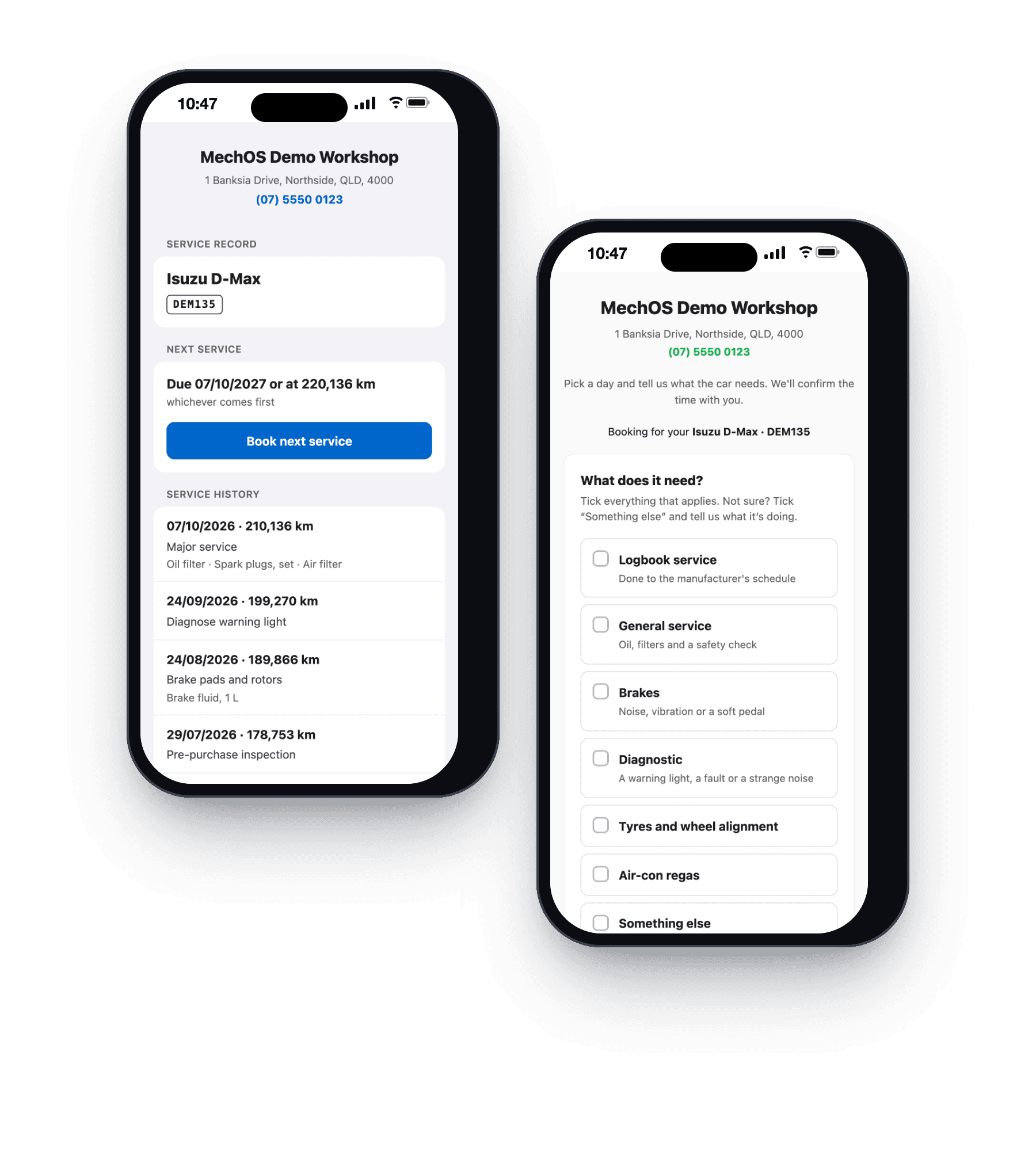
A QR sticker on the windscreen opens the car's service record: every finished job, the next service due, and a button that books it straight back in with you.
The service sticker already does half the job
Every workshop puts a sticker on the windscreen with the next service date. It’s the one thing about the job the customer looks at every day, and it can’t tell them anything else.
A MechOS sticker adds a QR code. Scanned, it opens the car’s record with you, and a button to book the next service.
How it works
A record for every car
The page shows your workshop, the car, the next service due by date and kilometres, and every finished job with its date, kilometres and what was done.
Book from the windscreen
Book next service opens your booking page with the car already filled in, and the request lands in your queue like any other.
Stickers made in advance
Make a batch of QR labels with a unique code on each, for A4 label sheets or a label printer, or send the list to a printing company. Scan a sticker to link it to the car.
Private by design
No prices, no customer details, and only finished jobs. Archive or transfer the car, or switch the feature off, and the page stops showing the car.
What you get
- A service record page for every car
- Next service due by date and kilometres
- Finished jobs only, with no prices
- Book next service, with the car filled in
- QR labels for A4 sheets or a label printer
- Sticker codes for a printing company
- Scan a sticker to link it
- Old stickers switched off when a car changes hands
Questions workshops ask
What does the customer see?
Your workshop’s name and phone, the car, the next service due, and every finished job with its date and kilometres. No prices and no personal details.
What happens when the car is sold?
Transfer the car to its new owner and the old sticker stops working. Link a new one for them.
Do I need a special printer?
No. Print the QR labels on A4 label sheets from your office printer, or on a label printer if you do a lot of them, or send the codes to a printing company. Each sticker has its own code, and you link it to the car by scanning it.
Does the sticker need replacing at every service?
No. It stays on the car from one service to the next. Only a new owner, a reset or a damaged sticker means a new one.
How-to guides
- Service record pages and QR stickersGive every car a page with its service history and next service, opened from a QR sticker on the windscreen.
- Set up service and follow-up remindersSwitch reminders on, then set one on the invoice — the next service, or a follow-up like brakes or tyres. MechOS emails or texts the customer for you.
- Take booking requests from your websiteA public page where customers ask for a job, and a queue beside your calendar where you say yes or no.
See it on your own jobs
Everything on this page is included at the founding price — $99 a month, locked for as long as you stay. Fourteen days free, no card, and you can bring your existing customers and history across.