Parts and purchase ordersEvery job waiting on a part, in one list
Park jobs that are waiting on parts and chase suppliers by ETA, order stock for the shelf on purchase orders, and count it all in one go.
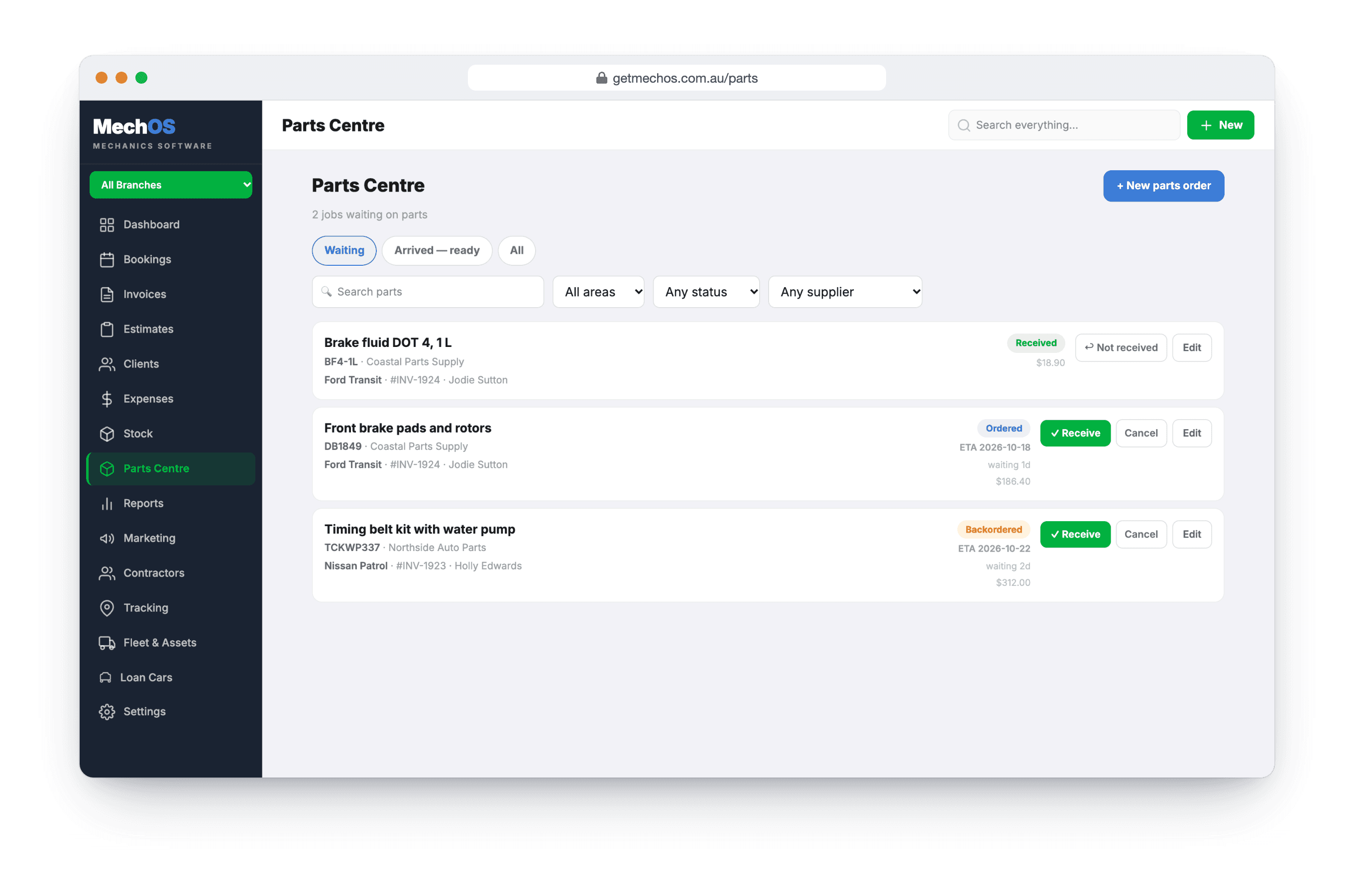
A job waiting on a part looks like a debt
The car’s half done, the invoice is raised, and the part is on a truck somewhere. Meanwhile the job sits in the unpaid list next to people who genuinely owe you, and nobody’s sure who’s chasing the supplier.
MechOS keeps parts for a customer’s job and stock for the shelf as two separate things, each tracked properly.
How it works
Park the job with the part
Order a part against the job, with its supplier and ETA, and the job goes on hold: out of your debt list and off payment reminders until you release it.
A chase list by supplier
Waiting shows every job with a part still on order. Filter by supplier to chase one backlog at once, or by area for the mobile vans.
Arrived, then released
When the last part lands, the job moves to Arrived, still on hold. Tell the customer their parts are in, and release the job once they’re booked.
Purchase orders for the shelf
Draft, ordered, part-received, received. Stock only moves when a delivery is received, and a short delivery stays open for the rest.
Stocktakes that can’t half-apply
Count against a snapshot, see the variance in units and dollars, and apply the whole count at once.
What you get
- Parts ordered against the job
- Jobs on hold until you release them
- Supplier, ETA and status for every part
- Waiting, Arrived and All lists
- A parts-are-in message, sent when you choose
- Purchase orders with part deliveries
- Stock moved only by what arrives
- Stocktakes from a snapshot
- A badge on parked jobs in the calendar
Questions workshops ask
Why can’t I just tick “awaiting parts”?
Because a parked job stops asking for money, so a job parked with nothing on order is money nobody gets reminded about. Ordering the part is what parks it, with a supplier and an ETA to chase.
What if only some of the parts arrive?
Receive the ones that did. The job stays on the chase list, showing what’s in and what isn’t, until every part has arrived.
Can receiving a delivery twice double my stock?
No. Each receipt against a purchase order adds only the new quantity, so receiving the same delivery twice can’t double your on-hand figure.
Can I keep trading during a stocktake?
Yes. The count works from a snapshot taken when you start, so sales and deliveries carry on, and the whole count applies in one go.
How-to guides
- Manage jobs waiting on parts (Parts Centre)Shelve a job that's waiting on parts, track every order, and see when it's ready to book back in.
- Raise a purchase order and receive stockOrder stock from a supplier, then receive the delivery — including short and part deliveries.
- Run a stocktakeCount the shelf against a snapshot and apply the difference in one go.
- Track parts inventoryChoose which parts to count, set an opening balance, and watch stock come off as you invoice.
See it on your own jobs
Everything on this page is included at the founding price — $99 a month, locked for as long as you stay. Fourteen days free, no card, and you can bring your existing customers and history across.