Switching workshop softwareChange systems without retyping your customers
The reason most workshops stay on software they've outgrown is the thought of retyping years of customers, cars and invoices. In MechOS that part is an upload: your old system's export, whatever its columns are called.
What comes across
Customers and their cars
Clients with their phone, email and address, and vehicles with rego, make, model, year and VIN, each matched to its owner. Phone numbers are tidied into one format on the way in.
Invoices and estimates, line by line
Past invoices and estimates come across with their lines, matched to the customer and to the car by its rego. An invoice marked paid in your old system arrives paid, so it doesn’t land in your unpaid list.
Parts, expenses, fleet and equipment
Your parts and labour catalogue with opening stock, past supplier invoices for your reports, your own vehicles and your equipment register.
How the import works
Any column names
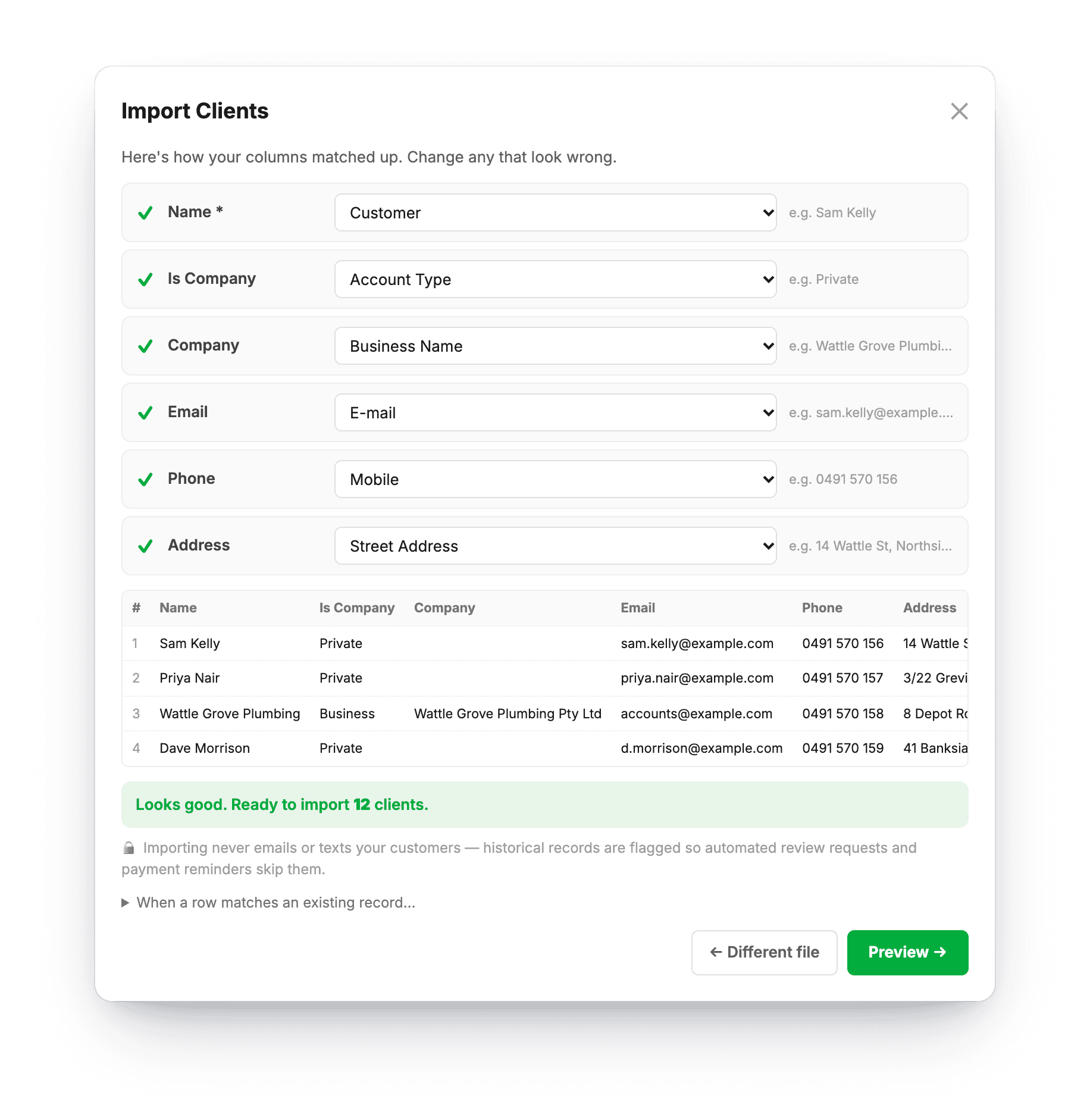
Upload a CSV or Excel export as it comes. The import assistant works out which column is which and shows you the mapping to check before anything is saved.
Several files at once
Drop a pile of exports in together, and MechOS works out what each one is and the order to import them in.
Duplicates skipped
Skip duplicates or overwrite them, and import in batches if your old system split its export into several files.
Your old history stays quiet
Imported invoices are marked as imported, so years of old work never send a review request or an overdue reminder to someone who left long ago. The import creates no service reminders, and reminders start off, so switching them on later sends nothing from your old system.
Numbers that carry on
On the second setup screen, choose Carry on from my old system and type your last invoice number, so numbers never repeat. You can change it later in Settings, where estimate numbers are set too.
Help when the export is awkward
Importing is free, however often you do it. If your old system’s export doesn’t fit, send us the file and we’ll help with your first upload as part of getting you set up, at no charge.
And if you ever leave
Settings gives you a ZIP of every record and photo whenever you want it. Nobody should stay on software because their data is stuck in it.
What you get
- Clients and vehicles, matched to their owners
- Invoices and estimates with their lines
- Paid invoices arrive paid
- Parts catalogue with opening stock
- Past expenses, fleet and equipment
- CSV or Excel, any column names
- The mapping shown before anything saves
- Duplicates skipped on every pass
- Invoice numbers that carry on
- Free help with your first upload
Questions about switching
Do I have to tidy my export first?
No. Upload it as it comes, with whatever column names it has, and check the mapping before anything is saved. If it really won’t fit, send it to us and we’ll help you get it in. Importing is always free, and so is our help with your first upload.
Will my old customers get texts or emails?
No. Imported invoices are marked as imported, so they never trigger a review request or an overdue reminder, and an import creates no service reminders. Reminders and review requests start off until you switch them on.
Can my invoice numbers carry on?
Yes. On the second setup screen, choose Carry on from my old system and type your last invoice number, so numbers never repeat.
What if the same customers are in two files?
Choose Skip duplicates and anything already in MechOS is skipped on each pass, which is how an export that came out as several files goes in.
How-to guides
- Import clients and vehicles from a CSVBring your existing customer list over from your old system in one upload.
- Set up your workshop: the checklistEverything to set up before your first job, in order: about half an hour, plus card payments, which take a few days.
- Getting started with MechOSSign up, fill in your business details, and orient yourself in the app.
- Subscription, data export and account deletionChange card, download everything, or close your workshop — all under Settings.
See it on your own jobs
Everything on this page is included at the founding price — $99 a month, locked for as long as you stay. Fourteen days free, no card, and you can bring your existing customers and history across.