Import clients and vehicles from a CSV
If you’re coming from another workshop system you almost certainly have a CSV export of clients and vehicles. MechOS can ingest those in one go.
What you can import
- Clients — name, phone, email, address
- Vehicles — rego, make, model, year, VIN, linked to a client by email, phone or name
- Parts & Labour — your parts catalogue, with opening stock balances
- Expenses — past supplier invoices for historical reporting
The file format
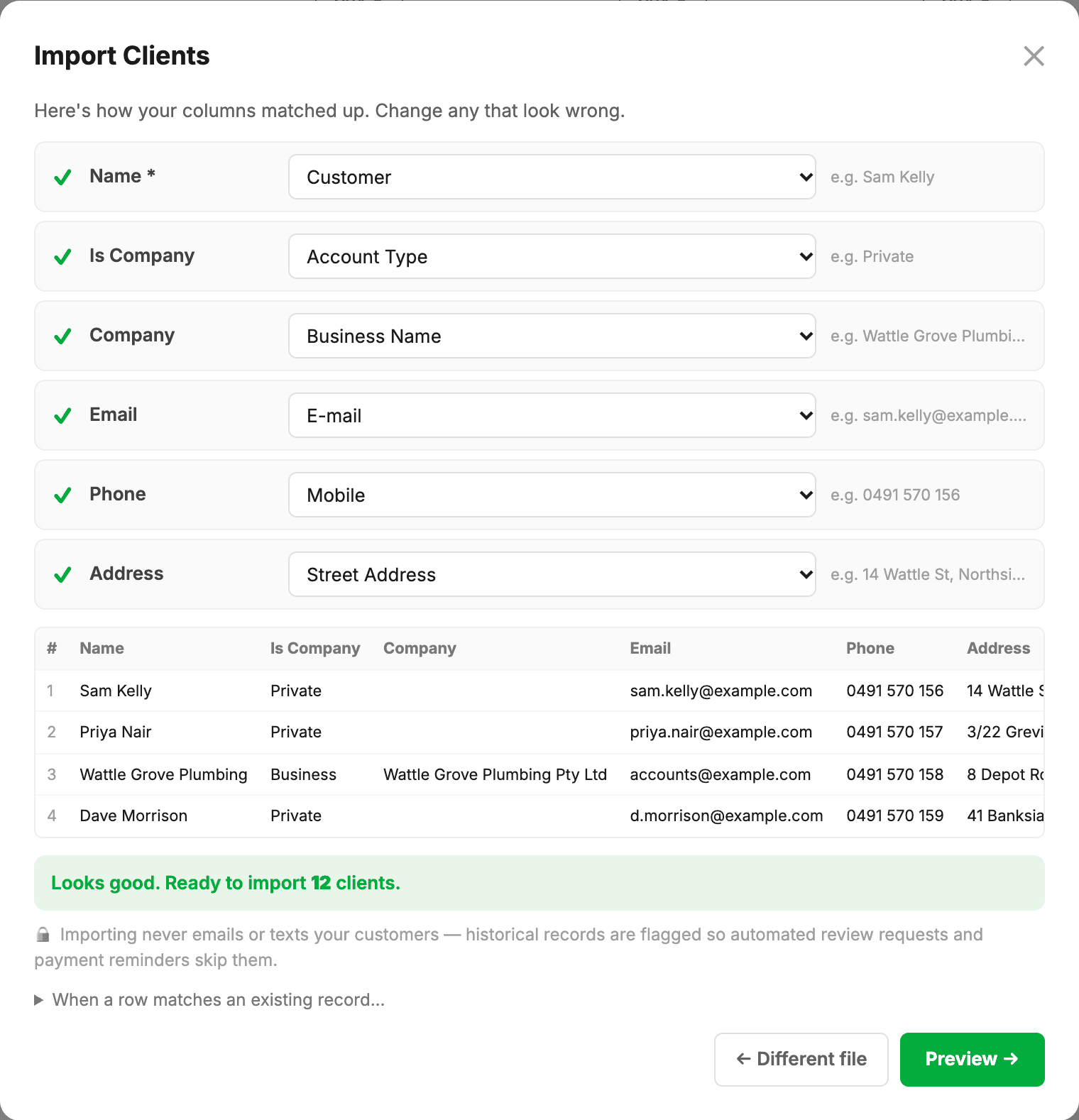
No template to match and no exact headers to get right. Upload your export as a CSV or Excel (.xlsx) file with any column names — the AI import assistant recognises the columns for you and shows you the mapping to confirm before anything is saved.
Upload
- Go to Settings → Import / Export.
- Drag-drop your file, or use Auto-detect to drop several exports at once and let MechOS work out the type and order.
- Check the column mapping the assistant proposes and adjust anything it wasn’t sure about.
- Duplicates are skipped unless you choose Overwrite under When a row matches an existing record…
- Click Preview to see what will happen, then Import.
Phone number formatting
0491 570 156, +61 491 570 156 and 0491570156 are recognised as the same number, and texts go out in the international form automatically, so don’t worry about format in the spreadsheet.
Need a hand with your first import?
Importing is free, as often as you like. If you’re new to MechOS and your old system’s export won’t import cleanly, send us the file and we’ll help you get your first upload in, at no charge.