Keep a personnel record for a technician
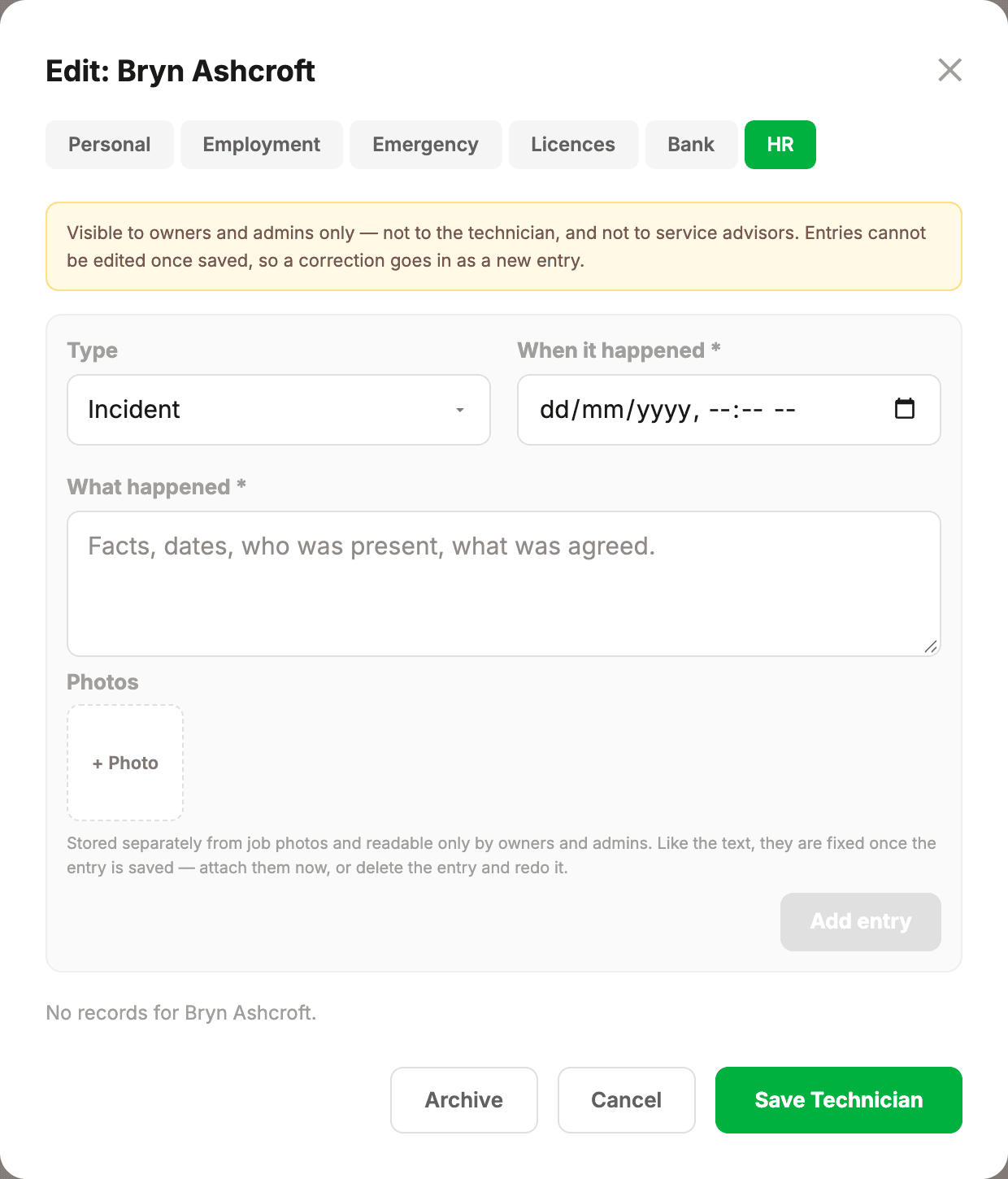
Every technician has an HR tab on their record — a running history of incidents, warnings, meetings and commendations, with photos if you need them. It’s under Settings → Technicians, open the person, then HR.
Who can see it
Owners and admins, and nobody else. Not the technician it’s about, not other technicians, not contractors, and not service advisors — they run the roster, not the personnel file. That isn’t just the tab being hidden; the records are unreadable to anyone else however they try to reach them.
Adding an entry
- Pick the type — incident, warning, meeting, commendation or other.
- Set when it happened. Not when you’re typing it up — these usually get written afterwards, and the date that matters is the day of the event.
- Write what happened: facts, dates, who was present, what was agreed.
- Add photos if they help — damage, a vehicle, a whiteboard, a signed acknowledgement.
The photos are kept apart
HR photos are stored separately from job and vehicle photos, and carry the same owner/admin-only restriction as the written record. A photograph attached to somebody’s warning is not something the rest of the workshop can go looking for.
- Up to 15MB each; they’re compressed on the way in.
- Tap a photo on a saved entry to open it full size.
- Deleting an entry deletes its photos too — nothing else points at them.
What it’s for
Mostly, remembering. A conversation in March is hard to recall in September, and “we did talk about this” is worth a great deal more when there’s a dated note saying so. Commendations count as much as problems — a file with nothing good in it is easy to read as a file kept for one purpose.