Getting started
Invite your team and assign roles
3 min read
Once your account is set up, the next thing to do is bring your staff in. Everyone gets their own login — no shared passwords, no “just leave the laptop open on the front desk.”
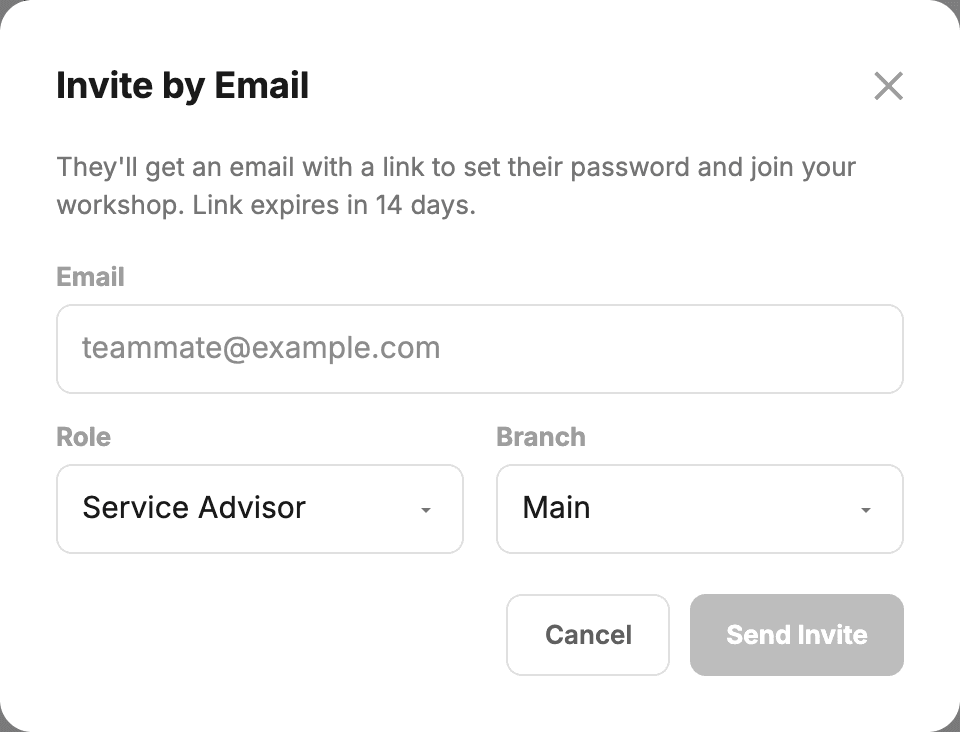
Add a team member
- Go to Settings → Users & Permissions.
- Click Invite by Email.
- Enter their email and pick a role (see below).
- They get an email with a link to set their own password. The link lasts 14 days. If it runs out, send the invite again from the same panel.
What each role can do
- Owner — full access including deleting the workshop and changing billing. There’s exactly one owner per workshop.
- Admin — full access except deleting the workshop, billing and setting up card payments. Useful for shop managers.
- Service advisor — the full front-desk role: bookings, invoices, estimates, clients, expenses, items, Parts Centre and reports. Can’t reach Settings or manage users.
- Tech — the on-the-tools role, scoped to a dedicated My Jobs screen; no office pages. Used for the tablet/phone on the workshop floor.
- Contractor — like a service advisor across everyone’s work, plus their own jobs’ P&L page, but no company reports or Settings.
Tip:Each person has one role for the whole workshop, even if you have more than one site.
Remove someone
When a staff member leaves, deactivate them rather than deleting them, so their name stays on the payments and messages they handled:
- Settings → Users & Permissions.
- Find them in the list.
- Click Edit, set Status to Inactive and click Save User. They can’t get in any more, but their name still appears on records they created.
Heads up:Deactivating a user cuts off their access straight away, even if they’re signed in at the time. Tell them you’re doing it so they don’t think it’s a bug.
Transferring ownership
If you sell the business or hand over to a partner, contact us at support@getmechos.com.au and we’ll transfer the owner role. We do this manually for now to make sure both parties consent — it’s a one-off action so the UI doesn’t need to support it directly.
Still stuck? We’d rather help than have you guess.
Email us →