Quotes and invoicesFrom quote to paid invoice, without retyping a line
Quotes and tax invoices built from the same parts and labour lines, sent with a link the customer opens on their phone, and an approved quote turned into the invoice in one click.
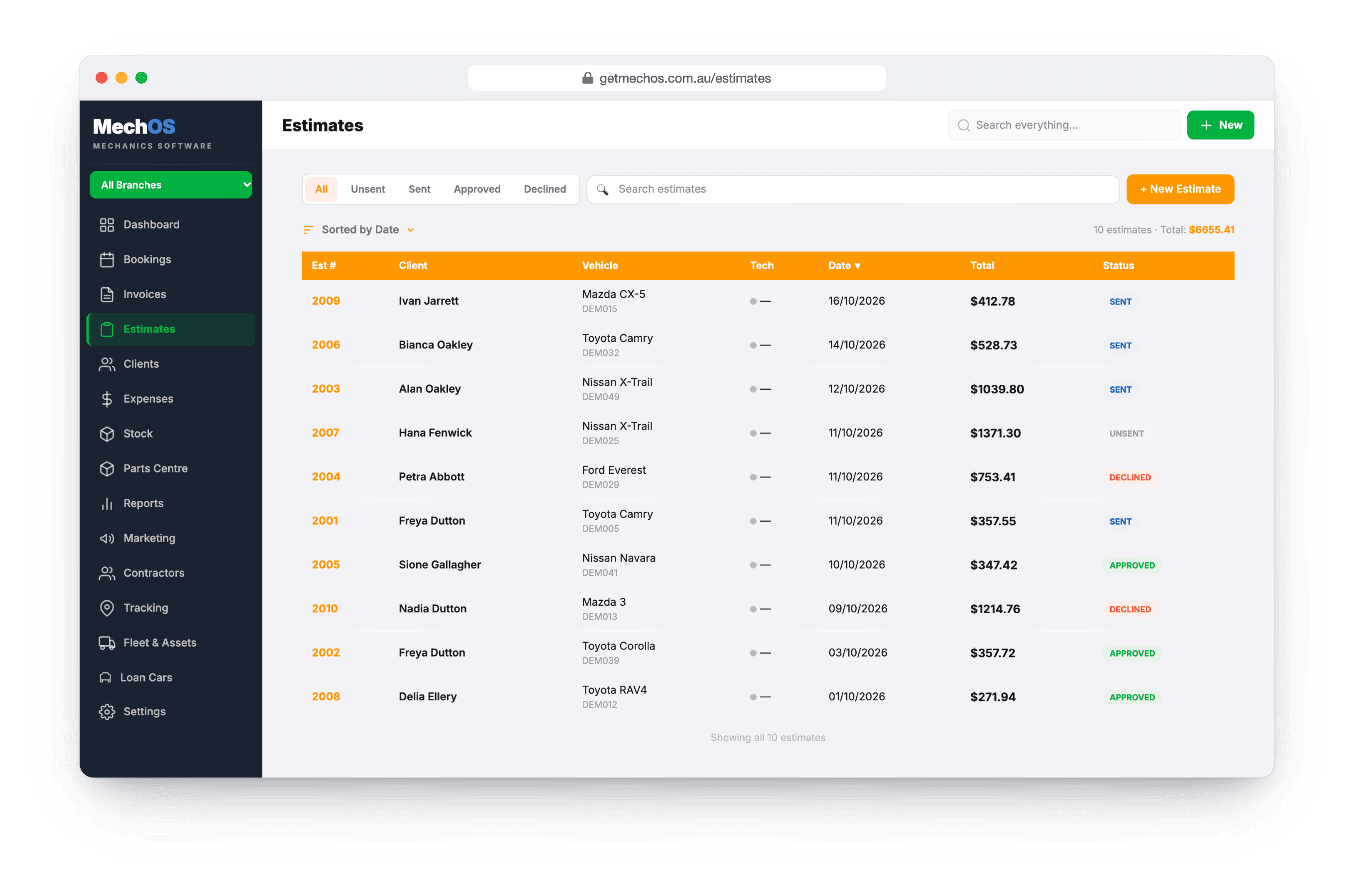
The paperwork is where the evening goes
A quote typed in one program, typed again as an invoice in another, then chased by phone. Every retyped line is a chance for the price to change by accident, and every phone call is an approval with nothing written down.
In MechOS the quote and the invoice are the same lines, and the customer’s yes is recorded on the quote itself.
How it works
One builder for both
The customer and car fill in from your records, then the parts and labour lines. Marking each line as a part or labour is what splits parts from labour in your reports.
GST done properly
Every invoice is a GST tax invoice by default, with GST worked out on the line totals. Discounts go on a single line or the whole invoice.
Quotes with a valid-until date
A quote holds for 14 days by default, or as long as you set. The date prints on the quote, the emailed PDF and the text.
Approved in writing
The customer opens the quote from a link, sees your photos, and approves or declines it, with a comment if they want something changed. Their answer is recorded with the time.
Quote to invoice in one click
Convert an approved quote and every line comes across, ready to adjust, because the job often ends up a little different. Each one shows which it came from.
The work and the money, kept apart
In progress, awaiting parts and complete track the work; paid and unpaid track the money. So “complete, unpaid” is the short, true list of what you’re owed.
What you get
- Quotes and tax invoices from one builder
- GST tax invoices by default
- Part and labour lines, split in the reports
- Discounts per line or per invoice
- Valid-until date on every quote
- Online approval, with the time recorded
- Quote to invoice in one click
- Before and after photos on the customer's copy
- Pay-by-link, once card payments are on
- A quote conversion report
Questions workshops ask
Are the invoices GST tax invoices?
Yes, by default. There’s no template to pick or box to tick: GST is worked out on the line totals and shown on the invoice.
Can I invoice before the job is finished?
Yes. Raise the invoice when the car arrives and send it at any stage. Sending doesn’t change the job status, and a job is only Complete when you say so or when it’s paid in full.
Can customers see photos of the work?
Yes. Photos go on the customer’s online copy, labelled before and after, and stay off the PDF so the paperwork stays short. Anything internal belongs on the booking instead.
Can I cancel an invoice?
Void it. That marks it void without deleting it, and the change history keeps every edit.
How-to guides
- Send an estimate and convert it to an invoiceQuote the job, get the customer's approval, turn it into the final invoice.
- Build and send a tax invoiceConvert a booking to an invoice, add parts and labour, email it with a payment link.
- Job status: tracking the work, not the moneyTrack whether the work is finished, separately from whether the invoice is paid.
- Record a paymentCash, bank transfer, or in-shop EFTPOS — log it against the invoice.
See it on your own jobs
Everything on this page is included at the founding price — $99 a month, locked for as long as you stay. Fourteen days free, no card, and you can bring your existing customers and history across.