Loan and courtesy cars
Loan Cars tracks your courtesy fleet: who has which car, when it’s due back, what condition it went out in, and what each car costs you to run. The important part is the check-out — that’s where the odometer, fuel, driver’s licence, condition photos and signed agreement are recorded. If a car comes back damaged, that record is what you have.
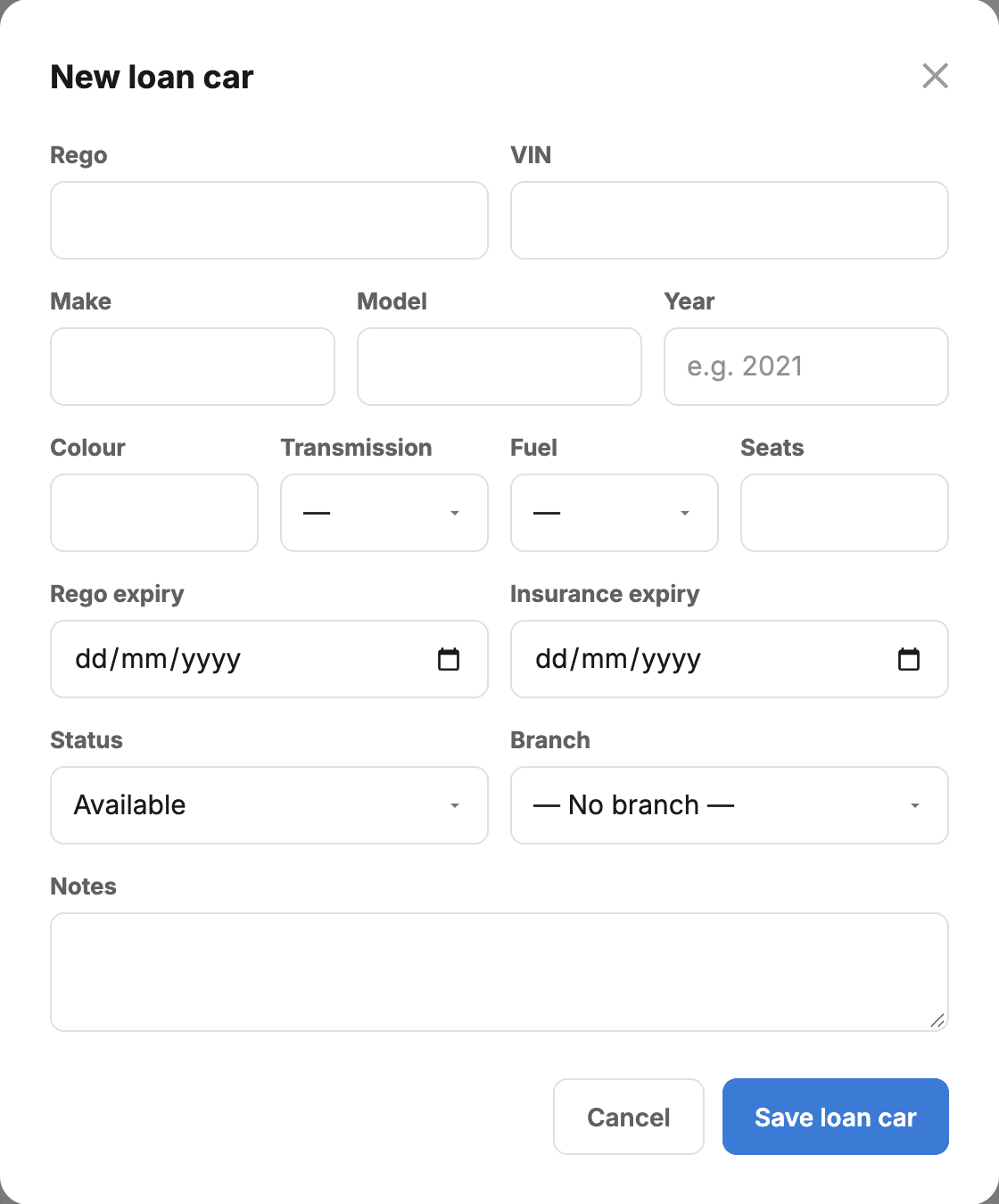
Add a car to the pool
- Go to Loan Cars and pick the Pool view.
- Add the rego, make, model and year, and the seats, fuel and transmission. There’s no odometer to enter: it’s read at each check-out and return.
- Set rego expiry and insurance expiry. Both raise a badge on the car when they’re inside 60 days, so neither lapses quietly.
Reserve a car
Two ways, and both create a reservation — not a car that has left the yard:
- From the booking — open the job and use Assign a loan car. Only cars free on that date are offered.
- From the Schedule — click any empty day on a car’s row.
Check the car out
This is the step that hands the keys over. Right-click the booking on the Schedule and choose Check out…, or open the car and use the same button.
- Odometer and fuel out — what the car left on.
- Driver’s licence number and expiry — who is legally driving it.
- Condition photos — walk around the car. This is the evidence if it comes back marked.
- Loan agreement — send it to the customer to sign on their phone. It bakes in the odometer, fuel and daily rate as entered.
Bring it back
Right-click the loan and choose Return car…. Record the odometer and fuel back in, and any new damage. The car returns to available and the loan drops into history.
Charging for the loan is optional: choose a daily rate when you check the car out, or leave it as a free courtesy car. The charge is days × rate, minimum one day.
Reading the Schedule
- Blue — reserved, not yet collected.
- Orange — currently out.
- Grey — returned. Past loans stay on the Schedule for a year so you can answer “who had that car in August?” without digging.
Switch between the fortnight timeline and a month view with the toggle. A returned loan is drawn to the day it actually came back, not the day it was due.
Costs and profitability
Each car has its own Expenses list — rego, insurance, tyres, servicing — and a Profitability line showing revenue from loan charges against those costs. A courtesy fleet usually runs at a loss; the point is knowing by how much.
There’s also a service & maintenance log per car, and an incident report you can print if a car is damaged.