Subcontract technicians and pay runs
Contractors is for subcontract mechanics who work on your jobs and invoice you for it — typically mobile techs running their own ABN. The page works out what each one has earned and what it cost, per job.
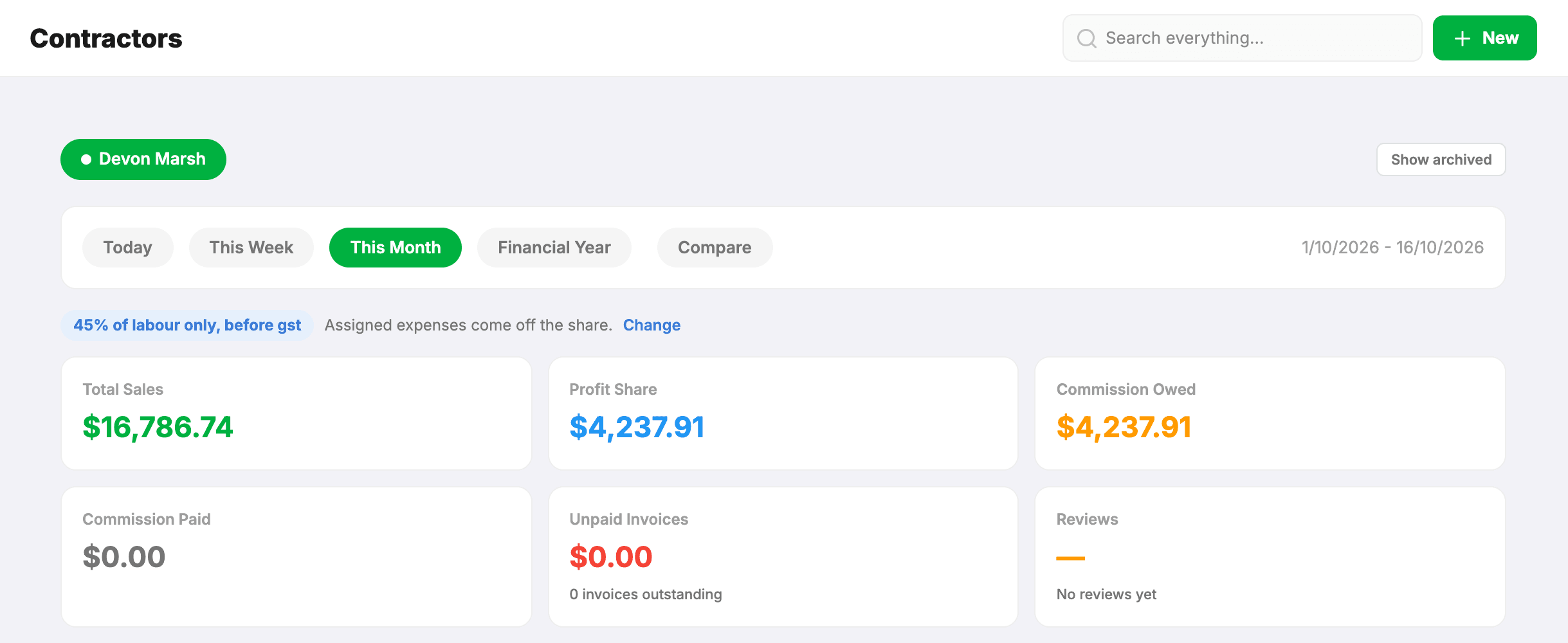
Set someone up
- Add them as a technician under Settings → Technicians, with their area set to Mobile.
- Invite them with the Contractor role and link the invite to that technician record.
A contractor sees everyone’s work like a service advisor, plus their own jobs and P&L — but not the Reports page or Settings.
Working out a pay run
- Pick the contractor and the period.
- You get every job of theirs dated in that period, finished or not, with its revenue and parts cost, plus their own expenses.
- Mark the jobs you’ve paid, so the next run starts where the last one finished.
How their share is worked out
There is no standard deal, so all of it is yours to set, per person, under Settings → Technicians → Employment. Alongside the percentage there are three choices:
- Share of — Labour only, Parts margin + labour, or Parts + labour revenue.
- Taken — before or after GST.
- Assigned expenses — whether the contractor’s own expenses come off their share. Workshop contractors usually aren’t charged them; a mobile tech running a van often is.
These are further apart than they look. On a $1,100 job with $330 of parts that cost you $220, at 50%, the three bases pay $350, $400 and $500 before GST. The page states the deal in words above the figures so you can always see which one produced them.
Parts margin or parts revenue?
The difference is who pays for the part. Parts margin + labour takes back what the part cost you before anything is split, so you’re made whole on it first. Parts + labour revenue splits the whole invoice and the part comes out of your half afterwards. The gap between them is always your percentage of what the part cost.
One more thing worth knowing: the percentages aren’t comparable between bases. 50% of margin is not 50% of revenue, so if you change someone’s basis, renegotiate the percentage at the same time.
Their expenses
Contractors record their own expenses — parts they bought, consumables. Link one to a job and it counts as that job’s parts cost, which keeps the job’s true cost together and stops it being taken off their share twice.
Leave and availability
Contractors request leave the same way techs do, and it lands in the pending queue on your dashboard. Approved leave takes their hours out of the capacity figures, so the week’s utilisation reflects who is actually available.