Service checklists and inspections
Inspections are the checklists your techs work through on a job — a logbook service checklist, a pre-purchase inspection, a safety check. Each one produces a record on the job and a PDF you can share with the customer.
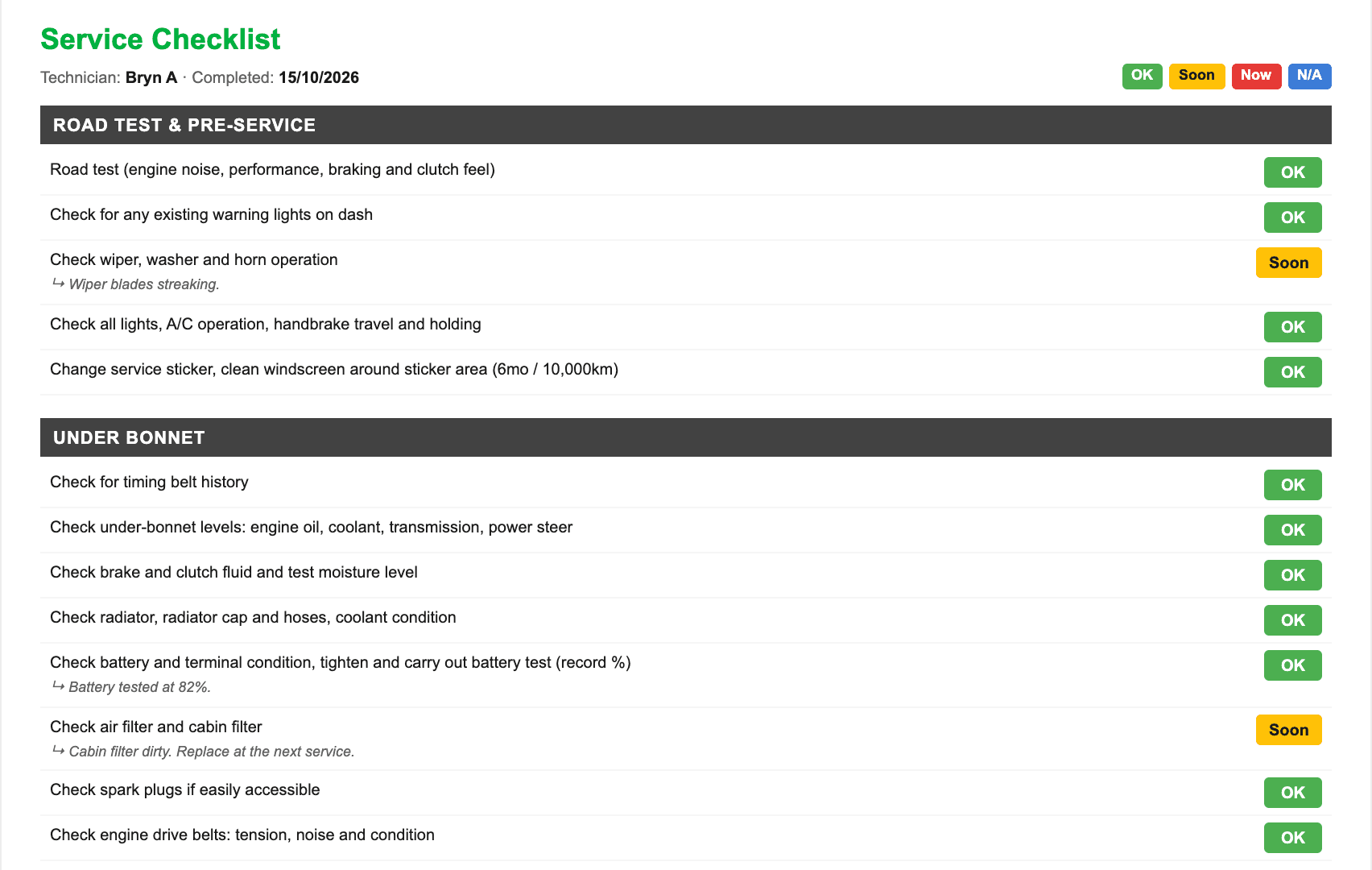
Set up your checklists
Templates live under Stock → Catalogue, on the Inspections tab. A template is a list of items grouped into sections. Each item can be:
- an OK / Soon / Now check — the common one;
- a measurement — brake pad thickness, tyre tread;
- a grid — four wheels against a few readings.
Clone an existing template to make a variant rather than building one from scratch. New workshops start with a standard service checklist already set up.
Fill one in on a job
- Open the job — from My Jobs on the workshop tablet, or from the invoice in the office.
- Pick a template from the report list and hit Add.
- Work down the list marking each line, adding measurements and comments.
- Attach photos to any line with the 📷 button — take one now, or pick one already on the phone.
Share it with the customer
Once it is filled in you can share the inspection to the customer portal, or produce a PDF to email. The photos go with it — a customer looking at a photo of the worn pad is a far easier conversation than a line item that says “brakes”.
Reporting
Reports → Inspections lists the Checks that find something most often: how often each one is marked Now or Soon. Pick a make and model to see whether a fault keeps coming back on it.
By tech puts each tech’s inspections side by side: the lines they answer, what they find, how often everything is OK, the photos and comments they add, and how long they take. A checklist being ticked rather than done tends to stand out against everyone else’s.