Auto electrical workshop softwareFind the fault, show the customer, get paid
Your own test sheets, with the readings and photos on the job. A timer that shows how long the fault really took, quotes the customer approves from a link, and an alert before the scan tool subscription runs out.
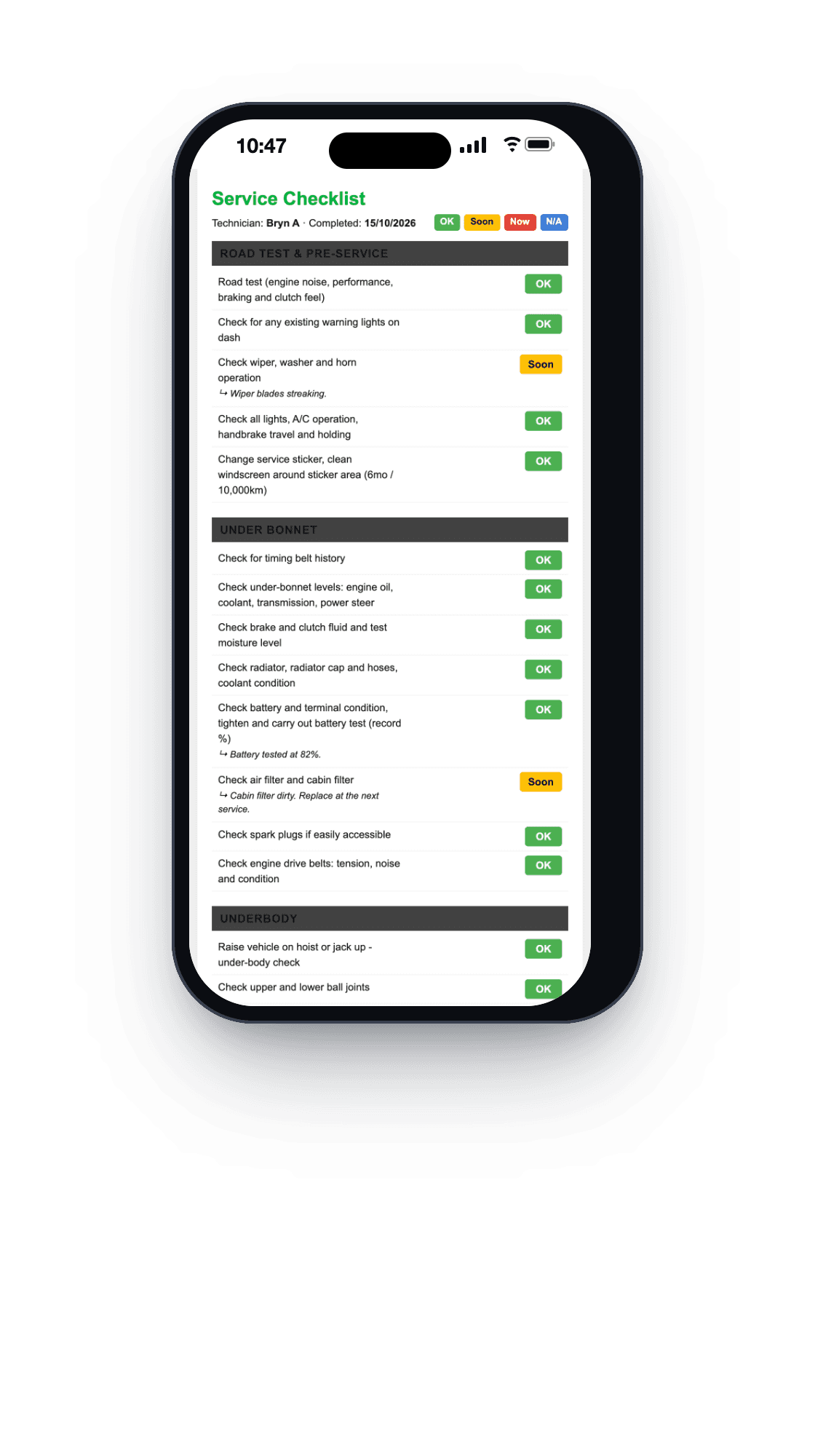
On the job
Test sheets you write yourself
Start from the checklists MechOS comes with, or write your own. A line can be an OK, Soon or Now check, a measurement or a grid, and any line can take photos from the phone’s camera or its photo library.
Time on the clock
Techs start and stop a timer on the job from My Jobs, and each tech sees only their own hours. Reports compare the hours you sold with the hours the job took, which is where a long diagnosis shows up.
Photos the customer sees
Photos sit on the customer’s online copy of the estimate, under the totals, where a tap opens one full size. A photo of the corroded terminal says more than a line that reads “wiring”.
Quote it, then invoice it
Approved from a link
The customer opens the estimate on their phone, with no app and no login, and approves or declines it. Their answer comes back with the time and any comment they add.
The tax invoice from the same lines
One click copies every line of an approved estimate into a GST tax invoice, so nothing is typed twice.
EFTPOS or a pay link
Pair a Linkly Cloud PIN pad and charge the invoice to the terminal, or send a link the customer taps to pay by card. Card payments start once your VenueSmart account is approved.
Parts and gear
Jobs waiting on parts, in one list
The Parts Centre lists every job waiting on a part, with the supplier and the ETA to chase, and keeps it off the unpaid list until the work is done.
Gear that expires
Scan tools, test-and-tag gear and the van’s rego sit under Fleet & Assets with their expiry dates, and MechOS alerts you before anything lapses. Each asset keeps its own costs, such as a scan tool subscription.
Out on the road
If you work mobile, techs see their own jobs on their phone, with the job’s address, and the office sees everyone on one calendar. A tech shows on the live map only while MechOS is open on their phone and they’ve allowed location, and location history is deleted after 30 days.
What you get
- Your own checklists, with measurements and photos
- Inspection copies as a link or a PDF
- A job timer, and hours sold against hours worked
- Estimates approved from a link
- GST tax invoices from the same lines
- EFTPOS at the counter and pay-by-link
- Parts Centre and purchase orders
- Expiry alerts for scan tools and test-and-tag gear
- Service and follow-up reminders
- Unlimited staff, each with a role
Questions auto electricians ask
Can we record test readings on the job?
Yes. Write your own checklists: each line can be an OK, Soon or Now check or a measurement, and any line can carry photos, so battery and charging readings sit on the job. The customer gets their copy as a link or a PDF.
Can we see how long diagnosis really takes?
Yes. The tech starts the timer on the job’s card in My Jobs and stops it when the work ends. Reports put the hours you sold beside the hours the job took.
Does it suit a mobile auto electrician?
Yes. MechOS runs in the phone’s browser, with nothing to install. Techs see their own jobs, and the customer can pay by card from the invoice link before you leave, once your VenueSmart account is approved.
Can it remind us when our gear needs renewing?
Yes. Add your scan tools, test-and-tag gear and other equipment under Fleet & Assets with their expiry dates, and MechOS alerts you before anything lapses.
How-to guides
- Service checklists and inspectionsBuild checklist templates, fill them in on a job with photos, and share the report with the customer.
- The technician screen (My Jobs)What a tech sees on the workshop floor: their jobs, the timer, photos, inspections and leave.
- Generate reports and BAS figuresParts vs labour, technician productivity, aged receivables, and the quarterly GST and BAS figures your accountant wants.
- Send an estimate and convert it to an invoiceQuote the job, get the customer's approval, turn it into the final invoice.
- Build and send a tax invoiceConvert a booking to an invoice, add parts and labour, and email it to the customer.
- Manage jobs waiting on parts (Parts Centre)Shelve a job that's waiting on parts, track every order, and see when it's ready to book back in.
- Fleet vehicles, equipment and expiry datesRegister your own vans and workshop equipment so nothing expires without someone noticing.
- Track mobile technicians on a mapSee where your mobile techs are, what you need to switch it on, and how long location data is kept.
See it on your own jobs
Everything on this page is included at the founding price — $99 a month, locked for as long as you stay. Fourteen days free, no card, and you can bring your existing customers and history across.