Fleet vehicles, equipment and expiry dates
Fleet & Assets is the register for the things the workshop owns: your own vehicles and vans, plus equipment like hoists, scan tools, fire extinguishers and test-and-tag gear. It exists mainly so nothing expires without someone noticing.
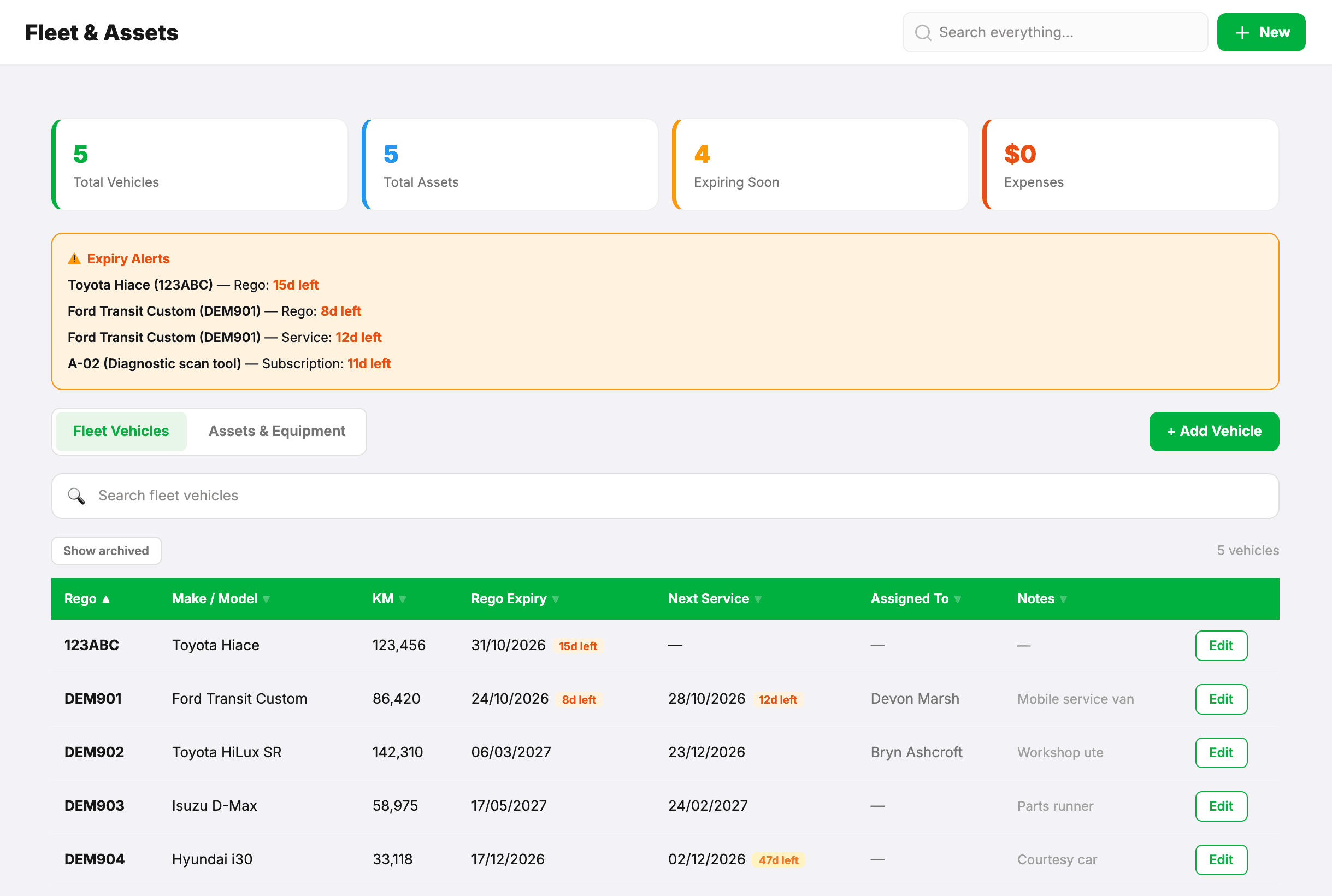
Fleet vehicles
- Add the rego, make, model, build date and current odometer.
- If it’s someone’s van, choose it as their Assigned Van under Settings → Technicians. Give it a branch if you have more than one site.
- Set rego expiry and next service date.
Running costs go on the vehicle: fuel, servicing, tyres, insurance. Each vehicle has its own expenses list, so “what does that van actually cost us” is a question you can answer.
Odometer check-ins
Whoever has a van records its odometer reading from their phone, with a photo of the dash if they like. That keeps servicing intervals honest without anyone writing it on a whiteboard.
Turn on KM Check-in on the vehicle and pick how often — weekly on a set day, monthly, or every so many days. When a check-in is due, the person the van is assigned to is asked for the reading in a pop-up the next time they open MechOS. Later puts it off until they next open the app; it keeps asking until the reading is in. They can also log one any time from Log KM on their Contractors page.
Assets and equipment
Anything that isn’t a vehicle goes in as an asset: an ID code, a group, a brand and model, where it lives, and photos. The field that matters is the expiry or next service date — a hoist inspection, a test-and-tag date, an extinguisher service.
- Inside 60 days, the item shows a warning badge; inside 30 days it’s in your dashboard alerts too.
- Once past, it shows as expired.
Assets have their own expenses list too: a hoist service, a scan tool subscription, a repair. Open the asset and press + Add under Expenses.
Adding a cost from the Expenses page
When you add an expense on the Expenses page, choose the vehicle or the asset under Fleet & assets. It then shows on that vehicle or asset, and it counts as a cost of running the workshop, so it is never waiting to be matched to a customer’s job.
Retiring something
Archive keeps a vehicle’s record and its history but takes it out of the active list — the right choice for a van you’ve sold. Delete permanently, on an archived vehicle, is for one entered by mistake. Assets can only be deleted.