Customer communications
Connect Podium for SMS
3 min read
Podium is a third-party messaging service that MechOS plugs into. Once it’s connected, the texts MechOS sends your customers go through Podium.
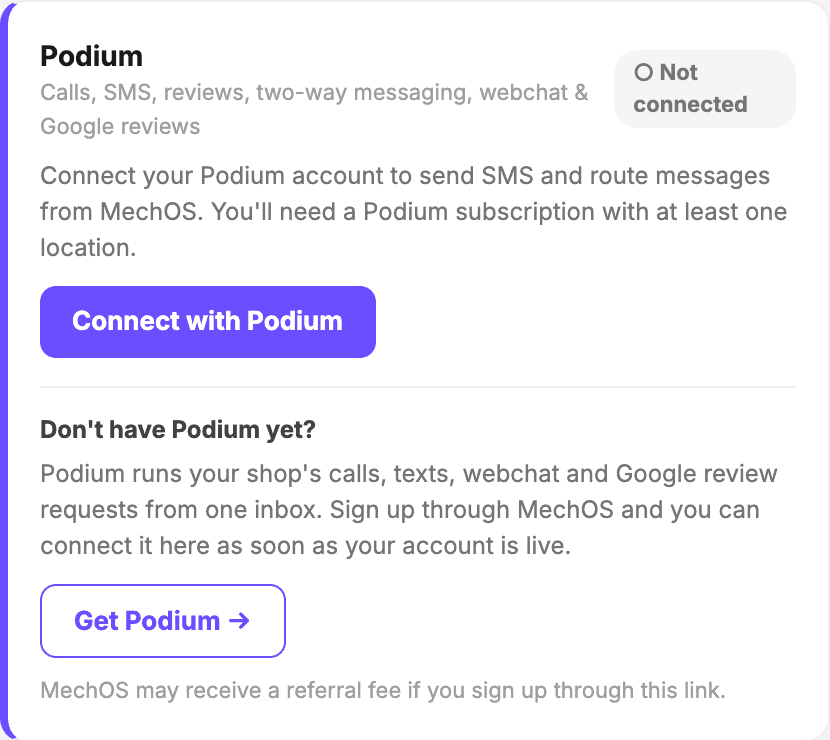
Don’t have Podium yet?
Podium is a separate paid subscription, billed by Podium — it isn’t part of your MechOS plan. It runs your shop’s calls, texts, webchat and Google review requests from one inbox, and MechOS sends through it once connected. You can sign up through MechOS, then come back and connect it using the steps below. MechOS may receive a referral fee if you sign up through that link.
Connect your Podium account
- Make sure your Podium account is live and has at least one location (your workshop).
- In MechOS, go to Settings → Integrations → Podium.
- Click Connect with Podium.
- You’ll be redirected to Podium to authorise.
- Approve. You land back in MechOS with the connection live.
Tip:Tokens refresh automatically — you shouldn’t need to reconnect unless Podium revokes our access. If you ever see “Podium not connected” on the SMS send dialog, come back here and reconnect.
What MechOS uses Podium for
With Podium connected, every customer text goes through it, even if MechOS SMS is switched on too:
- Booking messages — booking confirmation, booking reminder, on our way and vehicle ready, from the Message customer button on a booking. They go straight away, in your own wording.
- Invoices and estimates — Send → SMS on the invoice or estimate.
- Automatic messages you’ve switched on — service and follow-up reminders, booking reminders and overdue notices. Each has its own switch, and they all start off. See Set up service and follow-up reminders.
- Review requests — these are not sent through Podium. MechOS emails them itself, on a delay you choose after the invoice is paid, set up under Settings → Reviews. See Ask customers for a Google review.
Heads up:MechOS never bulk-sends through Podium: messages from here go to one customer at a time. Podium is for transactional and service messages. Campaigns to a list of customers are what MechOS’s Marketing section is for, and its texts don’t go through Podium.
Disconnect
Settings → Integrations → Podium → Disconnect. Texts through Podium stop until you reconnect. Messages already sent stay in the log.
Still stuck? We’d rather help than have you guess.
Email us →